
How to Design Agency Website Using HTML, CSS, and JavaScript
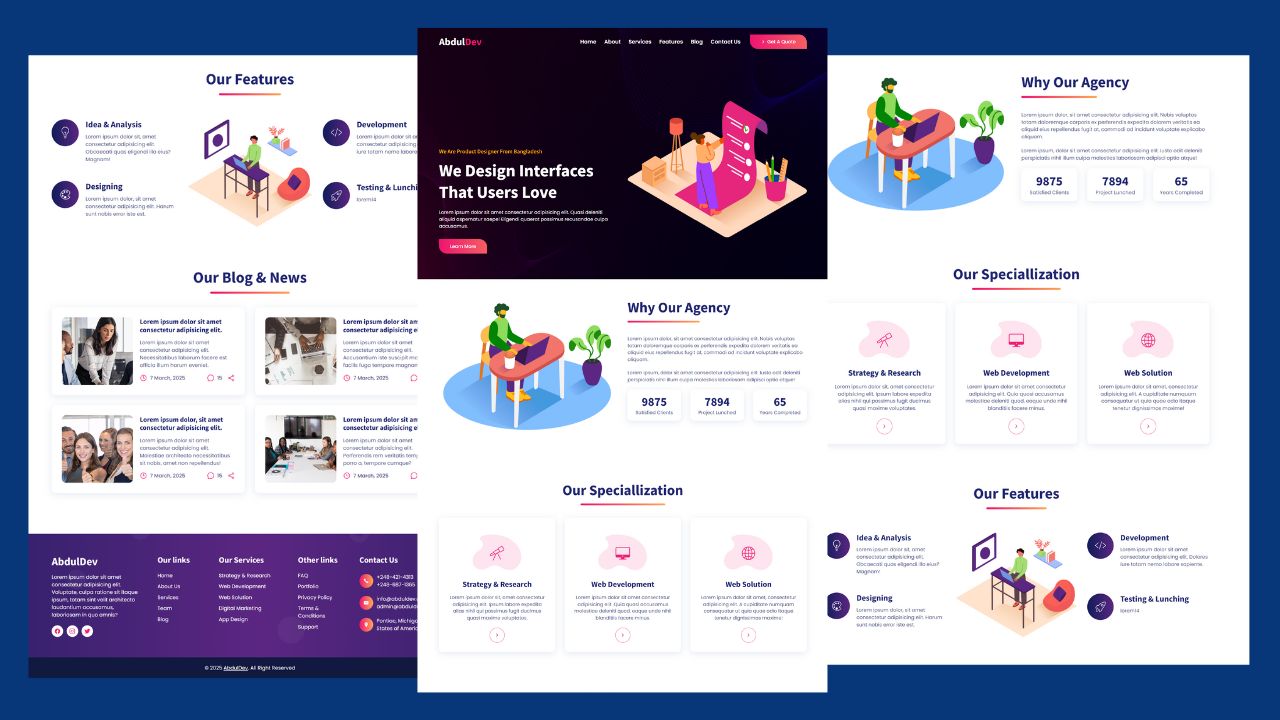
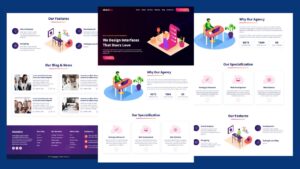
Creating a visually appealing and fully functional website for a design agency doesn’t always require complex frameworks. With just HTML, CSS, and JavaScript, you can build a sleek, professional, and responsive agency website from scratch. In this guide, we’ll walk you through the essential steps to bring your vision to life.
Why Your Design Agency Needs a Custom Website
In today’s competitive creative landscape, having a professional design agency website is not optional—it’s essential. Whether you’re a freelancer or run a full design studio, your site is often the first impression clients get. A well-built, mobile-friendly website reflects your style, skills, and services.
By using HTML, CSS, and JavaScript, you can create a fast, clean, and modern web experience without relying on heavy platforms. This approach offers full control over layout, performance, and branding. Unlike cookie-cutter templates, building from scratch allows your design agency website to stand out with a unique look that matches your creative vision.
Designers often struggle with pre-made solutions that lack flexibility. But when you create your agency website from scratch, you get a responsive and high-performing site that works across all devices. Plus, if you’re looking for a beginner-friendly front-end project for a design agency, this is the perfect challenge to showcase your skills and grow your portfolio.
Throughout this guide, you’ll learn how to build a creative portfolio website for designers using HTML and JS, crafting a fully functional and visually stunning presence for your design agency.
Benefits of Using HTML, CSS, and JavaScript for Web Design
When building a design agency website, choosing the right tools is crucial. HTML, CSS, and JavaScript remain the backbone of modern web development. They offer unmatched flexibility and performance, making them ideal for creating fast, clean, and responsive websites that stand out in a crowded digital space.
HTML provides the foundation of your site’s structure, CSS brings it to life with styles, and JavaScript adds interactivity. Together, they allow you to build a mobile-friendly website design that not only looks good but also performs exceptionally well. This trio is perfect for a minimal design website layout, where simplicity and functionality go hand-in-hand.
Using core web technologies means you don’t rely on bulky page builders or templates. You can fully customize your creative agency website design, making it more personal and on-brand. This also boosts SEO and accessibility, helping clients find your services more easily online.
Whether you’re creating a responsive design agency site or a single-page design agency site, using HTML, CSS, and JavaScript puts you in full control. For any modern web design with HTML CSS JS, these tools provide the speed, scalability, and style your design studio needs to shine.
Check Out Those Useful Articles
Planning the Structure of Your Design Agency Website
Before you write a single line of code, it’s essential to plan the layout and content of your design agency website. A thoughtful structure improves both user experience and SEO. It also makes your development process more organized, especially when working on a front-end development project from scratch.
Start by outlining the core sections your site should include: a hero section, services, portfolio, about, testimonials, contact, and a responsive footer. These elements create a full storytelling experience for visitors. If you’re building a website for a design studio, showcasing your work in a structured way builds trust and credibility.
Sketch wireframes or use tools like Figma or Adobe XD to visualize your layout. Focus on a minimal design website layout—clean lines, generous spacing, and clear calls to action. This ensures your site is easy to navigate and looks professional across all devices.
A well-planned structure is the backbone of any HTML CSS JavaScript website. It sets the stage for creating a responsive design agency landing page tutorial or a creative website using HTML and CSS that truly converts visitors into clients. Planning saves time, avoids messy code, and ensures your creative ideas are effectively delivered.
Setting Up the Project Folder and Boilerplate Code
Once your design is mapped out, the next step is setting up your project environment. Creating a clean folder structure is essential when working on a design agency website template with HTML, CSS, and JavaScript. It keeps everything organized and makes collaboration or future updates easier.
To design agency website follow these steps:
- Create a Folder: Name this folder according to your preference. Inside this folder, you’ll need to set up the following files:
- Create an index.html File: This file should be named index with the .html extension.
- Create a style.css File: This file should be named style with the .css extension.
- Create a script.js File: This file should be name main with the .js extension.
These files will form the basis of your agency website.
Writing the HTML Structure for the agency website
Now, open your code editor and set up a new HTML file, copy those HTML Codes and Paste those Codes on index.html file.
<!DOCTYPE html>
<html lang="en">
<head>
<meta charset="UTF-8">
<meta http-equiv="X-UA-Compatible" content="IE=edge">
<meta name="viewport" content="width=device-width, initial-scale=1.0">
<title>AbdulDev - Get The Best Web Design</title>
<link rel="shortcut icon" href="./favicon.svg" type="image/svg+xml">
<link rel="stylesheet" href="style.css">
<link rel="preconnect" href="https://fonts.googleapis.com">
<link rel="preconnect" href="https://fonts.gstatic.com" crossorigin>
<link
href="https://fonts.googleapis.com/css2?family=Poppins:wght@400;500;600&family=Source+Sans+Pro:wght@600;700&display=swap"
rel="stylesheet">
</head>
<body id="top">
<header class="header" data-header>
<div class="container">
<div class="overlay" data-overlay></div>
<a href="#">
<h1 class="logo">Abdul<span>Dev</span></h1>
</a>
<nav class="navbar" data-navbar>
<div class="navbar-top">
<a href="#" class="logo">Abdul<span>Dev</span></a>
<button class="nav-close-btn" aria-label="Close Menu" data-nav-close-btn>
<ion-icon name="close-outline"></ion-icon>
</button>
</div>
<ul class="navbar-list">
<li class="active" class="navbar-item">
<a href="#home" class="navbar-link" data-navbar-link>Home</a>
</li>
<li class="navbar-item">
<a href="#about" class="navbar-link" data-navbar-link>About</a>
</li>
<li class="navbar-item">
<a href="#services" class="navbar-link" data-navbar-link>Services</a>
</li>
<li class="navbar-item">
<a href="#features" class="navbar-link" data-navbar-link>Features</a>
</li>
<li class="navbar-item">
<a href="#blog" class="navbar-link" data-navbar-link>Blog</a>
</li>
<li class="navbar-item">
<a href="#" class="navbar-link" data-navbar-link>Contact Us</a>
</li>
</ul>
</nav>
<a href="#" class="btn">
<ion-icon name="chevron-forward-outline" aria-hidden="true"></ion-icon>
<span>Get A Quote</span>
</a>
<button class="nav-open-btn" aria-label="Open Menu" data-nav-open-btn>
<ion-icon name="menu-outline"></ion-icon>
</button>
</div>
</header>
<main>
<article>
<section class="hero" id="home">
<div class="container">
<div class="hero-content">
<p class="hero-subtitle">We Are Product Designer From Bangladesh</p>
<h2 class="h2 hero-title">We Design Interfaces That Users Love</h2>
<p class="hero-text">
Lorem ipsum dolor sit amet consectetur adipisicing elit. Quasi deleniti aliquid aspernatur saepe! Eligendi quaerat possimus recusandae culpa accusamus.
</p>
<button class="btn">Learn More</button>
</div>
<figure class="hero-banner">
<img data-lazyloaded="1" src="data:image/svg+xml;base64,PHN2ZyB4bWxucz0iaHR0cDovL3d3dy53My5vcmcvMjAwMC9zdmciIHdpZHRoPSI2OTQiIGhlaWdodD0iNTI5IiB2aWV3Qm94PSIwIDAgNjk0IDUyOSI+PHJlY3Qgd2lkdGg9IjEwMCUiIGhlaWdodD0iMTAwJSIgc3R5bGU9ImZpbGw6I2NmZDRkYjtmaWxsLW9wYWNpdHk6IDAuMTsiLz48L3N2Zz4=" decoding="async" data-src="images/hero-banner.png" width="694" height="529" loading="lazy" alt="hero-banner"
class="w-100 banner-animation">
</figure>
</div>
</section>
<section class="section about" id="about">
<div class="container">
<figure class="about-banner">
<img data-lazyloaded="1" src="data:image/svg+xml;base64,PHN2ZyB4bWxucz0iaHR0cDovL3d3dy53My5vcmcvMjAwMC9zdmciIHdpZHRoPSI3MDAiIGhlaWdodD0iNTMyIiB2aWV3Qm94PSIwIDAgNzAwIDUzMiI+PHJlY3Qgd2lkdGg9IjEwMCUiIGhlaWdodD0iMTAwJSIgc3R5bGU9ImZpbGw6I2NmZDRkYjtmaWxsLW9wYWNpdHk6IDAuMTsiLz48L3N2Zz4=" decoding="async" data-src="images/about-banner.png" width="700" height="532" loading="lazy" alt="about banner"
class="w-100 banner-animation">
</figure>
<div class="about-content">
<h2 class="h2 section-title underline">Why Our Agency</h2>
<p class="about-text">
Lorem ipsum dolor, sit amet consectetur adipisicing elit. Nobis voluptas totam doloremque corporis ex perferendis expedita dolorem veritatis ea aliquid eius repellendus fugit at, commodi ad incidunt voluptate explicabo aliquam.
</p>
<p class="about-text">
Lorem ipsum, dolor sit amet consectetur adipisicing elit. Iusto odit deleniti perspiciatis nihil illum culpa molestias laboriosam adipisci optio atque!
</p>
<ul class="stats-list">
<li class="stats-card">
<p class="h3 stats-title">9875</p>
<p class="stats-text">Satisfied Clients</p>
</li>
<li class="stats-card">
<p class="h3 stats-title">7894</p>
<p class="stats-text">Project Lunched</p>
</li>
<li class="stats-card">
<p class="h3 stats-title">65</p>
<p class="stats-text">Years Completed</p>
</li>
</ul>
</div>
</div>
</section>
<section class="section service" id="services">
<div class="container">
<h2 class="h2 section-title underline">Our Speciallization</h2>
<ul class="service-list">
<li>
<div class="service-card">
<div class="card-icon">
<ion-icon name="telescope-outline"></ion-icon>
</div>
<h3 class="h3 title">Strategy & Research</h3>
<p class="text">
Lorem ipsum dolor sit, amet consectetur adipisicing elit. Ipsum labore expedita alias nihil qui possimus fugit ducimus quasi maxime voluptates.
</p>
<button class="card-btn" aria-label="Show More">
<ion-icon name="chevron-forward-outline"></ion-icon>
</button>
</div>
</li>
<li>
<div class="service-card">
<div class="card-icon">
<ion-icon name="desktop-outline"></ion-icon>
</div>
<h3 class="h3 title">Web Development</h3>
<p class="text">
Lorem ipsum dolor sit amet consectetur adipisicing elit. Quia quasi accusamus molestiae deleniti quod, eaque unde nihil blanditiis facere minus.
</p>
<button class="card-btn" aria-label="Show More">
<ion-icon name="chevron-forward-outline"></ion-icon>
</button>
</div>
</li>
<li>
<div class="service-card">
<div class="card-icon">
<ion-icon name="globe-outline"></ion-icon>
</div>
<h3 class="h3 title">Web Solution</h3>
<p class="text">
Lorem ipsum dolor sit amet, consectetur adipisicing elit. A cupiditate numquam consequatur ut quia quae odio itaque tenetur dignissimos maxime!
</p>
<button class="card-btn" aria-label="Show More">
<ion-icon name="chevron-forward-outline"></ion-icon>
</button>
</div>
</li>
</ul>
</div>
</section>
<section class="section features" id="features">
<div class="container">
<h2 class="h2 section-title underline">Our Features</h2>
<ul class="features-list">
<li>
<div class="features-card">
<div class="icon">
<ion-icon name="bulb-outline"></ion-icon>
</div>
<div class="content">
<h3 class="h3 title">Idea & Analysis</h3>
<p class="text">
Lorem ipsum dolor sit, amet consectetur adipisicing elit. Obcaecati quas eligendi illo eius? Magnam!
</p>
</div>
</div>
</li>
<li>
<div class="features-card">
<div class="icon">
<ion-icon name="color-palette-outline"></ion-icon>
</div>
<div class="content">
<h3 class="h3 title">Designing</h3>
<p class="text">
Lorem ipsum dolor, sit amet consectetur adipisicing elit. Harum sunt nobis error iste est.
</p>
</div>
</div>
</li>
</ul>
<figure class="features-banner">
<img data-lazyloaded="1" src="data:image/svg+xml;base64,PHN2ZyB4bWxucz0iaHR0cDovL3d3dy53My5vcmcvMjAwMC9zdmciIHdpZHRoPSIzNjkiIGhlaWdodD0iMzE4IiB2aWV3Qm94PSIwIDAgMzY5IDMxOCI+PHJlY3Qgd2lkdGg9IjEwMCUiIGhlaWdodD0iMTAwJSIgc3R5bGU9ImZpbGw6I2NmZDRkYjtmaWxsLW9wYWNpdHk6IDAuMTsiLz48L3N2Zz4=" decoding="async" data-src="images/feautres-banner.png" width="369" height="318" loading="lazy" alt="Features Banner"
class="w-100 banner-animation">
</figure>
<ul class="features-list">
<li>
<div class="features-card">
<div class="icon">
<ion-icon name="code-slash-outline"></ion-icon>
</div>
<div class="content">
<h3 class="h3 title">Development</h3>
<p class="text">
Lorem ipsum dolor sit amet consectetur adipisicing elit. Dolores iure totam nemo labore sapiente.
</p>
</div>
</div>
</li>
<li>
<div class="features-card">
<div class="icon">
<ion-icon name="rocket-outline"></ion-icon>
</div>
<div class="content">
<h3 class="h3 title">Testing & Lunching</h3>
<p class="text">
Lorem ipsum dolor sit amet consectetur adipisicing elit. Officiis doloremque inventore eveniet labore vel?
</p>
</div>
</div>
</li>
</ul>
</div>
</section>
<section class="section blog" id="blog">
<div class="container">
<h2 class="h2 section-title underline">Our Blog & News</h2>
<ul class="blog-list">
<li>
<div class="blog-card">
<figure class="banner">
<a href="#">
<img data-lazyloaded="1" src="data:image/svg+xml;base64,PHN2ZyB4bWxucz0iaHR0cDovL3d3dy53My5vcmcvMjAwMC9zdmciIHdpZHRoPSI3NTAiIGhlaWdodD0iMzUwIiB2aWV3Qm94PSIwIDAgNzUwIDM1MCI+PHJlY3Qgd2lkdGg9IjEwMCUiIGhlaWdodD0iMTAwJSIgc3R5bGU9ImZpbGw6I2NmZDRkYjtmaWxsLW9wYWNpdHk6IDAuMTsiLz48L3N2Zz4=" decoding="async" data-src="images/blog-1.jpg" width="750" height="350" loading="lazy"
alt="Vestibulum massa arcu, consectetu pellentesque scelerisque." class="img-cover">
</a>
</figure>
<div class="content">
<h3 class="h3 title">
<a href="#">
Lorem ipsum dolor sit amet consectetur adipisicing elit.
</a>
</h3>
<p class="text">
Lorem ipsum dolor sit amet consectetur adipisicing elit. Necessitatibus laborum facere est officia illum harum eveniet.
</p>
<div class="meta">
<div class="publish-date">
<ion-icon name="time-outline"></ion-icon>
<time datetime="2022-03-07">7 March, 2026</time>
</div>
<button class="comment" aria-label="Comment">
<ion-icon name="chatbubble-outline"></ion-icon>
<data value="15">15</data>
</button>
<button class="share" aria-label="Share">
<ion-icon name="share-social-outline"></ion-icon>
</button>
</div>
</div>
</div>
</li>
<li>
<div class="blog-card">
<figure class="banner">
<a href="#">
<img data-lazyloaded="1" src="data:image/svg+xml;base64,PHN2ZyB4bWxucz0iaHR0cDovL3d3dy53My5vcmcvMjAwMC9zdmciIHdpZHRoPSI3NTAiIGhlaWdodD0iMzUwIiB2aWV3Qm94PSIwIDAgNzUwIDM1MCI+PHJlY3Qgd2lkdGg9IjEwMCUiIGhlaWdodD0iMTAwJSIgc3R5bGU9ImZpbGw6I2NmZDRkYjtmaWxsLW9wYWNpdHk6IDAuMTsiLz48L3N2Zz4=" decoding="async" data-src="images/blog-2.jpg" width="750" height="350" loading="lazy"
alt="Quisque egestas iaculis felis eget placerat ut pulvinar mi." class="img-cover">
</a>
</figure>
<div class="content">
<h3 class="h3 title">
<a href="#">
Lorem ipsum dolor sit amet consectetur adipisicing elit.
</a>
</h3>
<p class="text">
Lorem ipsum dolor sit amet consectetur adipisicing elit. Accusantium iste suscipit maxime, facilis fuga tempore magnam.
</p>
<div class="meta">
<div class="publish-date">
<ion-icon name="time-outline"></ion-icon>
<time datetime="2022-03-07">7 March, 2026</time>
</div>
<button class="comment" aria-label="Comment">
<ion-icon name="chatbubble-outline"></ion-icon>
<data value="15">15</data>
</button>
<button class="share" aria-label="Share">
<ion-icon name="share-social-outline"></ion-icon>
</button>
</div>
</div>
</div>
</li>
<li>
<div class="blog-card">
<figure class="banner">
<a href="#">
<img data-lazyloaded="1" src="data:image/svg+xml;base64,PHN2ZyB4bWxucz0iaHR0cDovL3d3dy53My5vcmcvMjAwMC9zdmciIHdpZHRoPSI3NTAiIGhlaWdodD0iMzUwIiB2aWV3Qm94PSIwIDAgNzUwIDM1MCI+PHJlY3Qgd2lkdGg9IjEwMCUiIGhlaWdodD0iMTAwJSIgc3R5bGU9ImZpbGw6I2NmZDRkYjtmaWxsLW9wYWNpdHk6IDAuMTsiLz48L3N2Zz4=" decoding="async" data-src="images/blog-3.jpg" width="750" height="350" loading="lazy"
alt="Fusce sem ligula, imperdiet sed nisi sit amet, euismod posuere." class="img-cover">
</a>
</figure>
<div class="content">
<h3 class="h3 title">
<a href="#">
Lorem ipsum dolor, sit amet consectetur adipisicing elit.
</a>
</h3>
<p class="text">
Lorem ipsum dolor sit amet consectetur adipisicing elit. Molestiae architecto necessitatibus sit nobis, amet non repellendus!
</p>
<div class="meta">
<div class="publish-date">
<ion-icon name="time-outline"></ion-icon>
<time datetime="2022-03-07">7 March, 2026</time>
</div>
<button class="comment" aria-label="Comment">
<ion-icon name="chatbubble-outline"></ion-icon>
<data value="15">15</data>
</button>
<button class="share" aria-label="Share">
<ion-icon name="share-social-outline"></ion-icon>
</button>
</div>
</div>
</div>
</li>
<li>
<div class="blog-card">
<figure class="banner">
<a href="#">
<img data-lazyloaded="1" src="data:image/svg+xml;base64,PHN2ZyB4bWxucz0iaHR0cDovL3d3dy53My5vcmcvMjAwMC9zdmciIHdpZHRoPSI3NTAiIGhlaWdodD0iMzUwIiB2aWV3Qm94PSIwIDAgNzUwIDM1MCI+PHJlY3Qgd2lkdGg9IjEwMCUiIGhlaWdodD0iMTAwJSIgc3R5bGU9ImZpbGw6I2NmZDRkYjtmaWxsLW9wYWNpdHk6IDAuMTsiLz48L3N2Zz4=" decoding="async" data-src="images/blog-4.jpg" width="750" height="350" loading="lazy"
alt="Donec feugiat mollis nisi in dignissim. Morbi sollicitudin quis." class="img-cover">
</a>
</figure>
<div class="content">
<h3 class="h3 title">
<a href="#">
Lorem ipsum dolor sit amet, consectetur adipisicing elit.
</a>
</h3>
<p class="text">
Lorem ipsum dolor sit amet consectetur adipisicing elit. Perferendis rem veritatis tempora porro a, tempore cumque?
</p>
<div class="meta">
<div class="publish-date">
<ion-icon name="time-outline"></ion-icon>
<time datetime="2022-03-07">7 March, 2026</time>
</div>
<button class="comment" aria-label="Comment">
<ion-icon name="chatbubble-outline"></ion-icon>
<data value="15">15</data>
</button>
<button class="share" aria-label="Share">
<ion-icon name="share-social-outline"></ion-icon>
</button>
</div>
</div>
</div>
</li>
</ul>
</div>
</section>
</article>
</main>
<footer class="footer">
<div class="footer-top section">
<div class="container">
<div class="footer-brand">
<a href="#" class="logo">AbdulDev</a>
<p class="text">
Lorem ipsum dolor sit amet consectetur adipisicing elit. Voluptate, culpa ratione sit itaque ipsum, totam sint velit architecto laudantium accusamus, laboriosam in quo omnis?
</p>
<ul class="social-list">
<li>
<a href="#" class="social-link">
<ion-icon name="logo-facebook"></ion-icon>
</a>
</li>
<li>
<a href="#" class="social-link">
<ion-icon name="logo-instagram"></ion-icon>
</a>
</li>
<li>
<a href="#" class="social-link">
<ion-icon name="logo-twitter"></ion-icon>
</a>
</li>
</ul>
</div>
<ul class="footer-list">
<li>
<p class="footer-list-title">Our links</p>
</li>
<li>
<a href="#" class="footer-link">Home</a>
</li>
<li>
<a href="#" class="footer-link">About Us</a>
</li>
<li>
<a href="#" class="footer-link">Services</a>
</li>
<li>
<a href="#" class="footer-link">Team</a>
</li>
<li>
<a href="#" class="footer-link">Blog</a>
</li>
</ul>
<ul class="footer-list">
<li>
<p class="footer-list-title">Our Services</p>
</li>
<li>
<a href="#" class="footer-link">Strategy & Research</a>
</li>
<li>
<a href="#" class="footer-link">Web Development</a>
</li>
<li>
<a href="#" class="footer-link">Web Solution</a>
</li>
<li>
<a href="#" class="footer-link">Digital Marketing</a>
</li>
<li>
<a href="#" class="footer-link">App Design</a>
</li>
</ul>
<ul class="footer-list">
<li>
<p class="footer-list-title">Other links</p>
</li>
<li>
<a href="#" class="footer-link">FAQ</a>
</li>
<li>
<a href="#" class="footer-link">Portfolio</a>
</li>
<li>
<a href="#" class="footer-link">Privacy Policy</a>
</li>
<li>
<a href="#" class="footer-link">Terms & Conditions</a>
</li>
<li>
<a href="#" class="footer-link">Support</a>
</li>
</ul>
<ul class="footer-list">
<li>
<p class="footer-list-title">Contact Us</p>
</li>
<li class="footer-item">
<div class="footer-item-icon">
<ion-icon name="call"></ion-icon>
</div>
<div>
<a href="tel:1234567890" class="footer-item-link">+123-456-7890</a>
<a href="tel:1234567890" class="footer-item-link">+123-456-7890</a>
</div>
</li>
<li class="footer-item">
<div class="footer-item-icon">
<ion-icon name="mail"></ion-icon>
</div>
<div>
<a href="mailto:info@desinic.com" class="footer-item-link">info@olive-buffalo-208520.hostingersite.com</a>
<a href="mailto:help@desinic.com" class="footer-item-link">admin@olive-buffalo-208520.hostingersite.com</a>
</div>
</li>
<li class="footer-item">
<div class="footer-item-icon">
<ion-icon name="location"></ion-icon>
</div>
<address class="footer-item-link">
Bogura, Bangladesh
</address>
</li>
</ul>
</div>
</div>
<div class="footer-bottom">
<p class="copyright">
© 2026 <a href="#" class="copyright-link">AbdulDev</a>. All Right Reserved
</p>
</div>
</footer>
<a href="#top" class="go-top active" aria-label="Go To Top" data-go-top>
<ion-icon name="arrow-up-outline"></ion-icon>
</a>
<script type="litespeed/javascript" data-src="script.js"></script> <script type="module" src="https://unpkg.com/ionicons@5.5.2/dist/ionicons/ionicons.esm.js"></script> <script nomodule type="litespeed/javascript" data-src="https://unpkg.com/ionicons@5.5.2/dist/ionicons/ionicons.js"></script> <script data-no-optimize="1">window.lazyLoadOptions=Object.assign({},{threshold:300},window.lazyLoadOptions||{});!function(t,e){"object"==typeof exports&&"undefined"!=typeof module?module.exports=e():"function"==typeof define&&define.amd?define(e):(t="undefined"!=typeof globalThis?globalThis:t||self).LazyLoad=e()}(this,function(){"use strict";function e(){return(e=Object.assign||function(t){for(var e=1;e<arguments.length;e++){var n,a=arguments[e];for(n in a)Object.prototype.hasOwnProperty.call(a,n)&&(t[n]=a[n])}return t}).apply(this,arguments)}function o(t){return e({},at,t)}function l(t,e){return t.getAttribute(gt+e)}function c(t){return l(t,vt)}function s(t,e){return function(t,e,n){e=gt+e;null!==n?t.setAttribute(e,n):t.removeAttribute(e)}(t,vt,e)}function i(t){return s(t,null),0}function r(t){return null===c(t)}function u(t){return c(t)===_t}function d(t,e,n,a){t&&(void 0===a?void 0===n?t(e):t(e,n):t(e,n,a))}function f(t,e){et?t.classList.add(e):t.className+=(t.className?" ":"")+e}function _(t,e){et?t.classList.remove(e):t.className=t.className.replace(new RegExp("(^|\\s+)"+e+"(\\s+|$)")," ").replace(/^\s+/,"").replace(/\s+$/,"")}function g(t){return t.llTempImage}function v(t,e){!e||(e=e._observer)&&e.unobserve(t)}function b(t,e){t&&(t.loadingCount+=e)}function p(t,e){t&&(t.toLoadCount=e)}function n(t){for(var e,n=[],a=0;e=t.children[a];a+=1)"SOURCE"===e.tagName&&n.push(e);return n}function h(t,e){(t=t.parentNode)&&"PICTURE"===t.tagName&&n(t).forEach(e)}function a(t,e){n(t).forEach(e)}function m(t){return!!t[lt]}function E(t){return t[lt]}function I(t){return delete t[lt]}function y(e,t){var n;m(e)||(n={},t.forEach(function(t){n[t]=e.getAttribute(t)}),e[lt]=n)}function L(a,t){var o;m(a)&&(o=E(a),t.forEach(function(t){var e,n;e=a,(t=o[n=t])?e.setAttribute(n,t):e.removeAttribute(n)}))}function k(t,e,n){f(t,e.class_loading),s(t,st),n&&(b(n,1),d(e.callback_loading,t,n))}function A(t,e,n){n&&t.setAttribute(e,n)}function O(t,e){A(t,rt,l(t,e.data_sizes)),A(t,it,l(t,e.data_srcset)),A(t,ot,l(t,e.data_src))}function w(t,e,n){var a=l(t,e.data_bg_multi),o=l(t,e.data_bg_multi_hidpi);(a=nt&&o?o:a)&&(t.style.backgroundImage=a,n=n,f(t=t,(e=e).class_applied),s(t,dt),n&&(e.unobserve_completed&&v(t,e),d(e.callback_applied,t,n)))}function x(t,e){!e||0<e.loadingCount||0<e.toLoadCount||d(t.callback_finish,e)}function M(t,e,n){t.addEventListener(e,n),t.llEvLisnrs[e]=n}function N(t){return!!t.llEvLisnrs}function z(t){if(N(t)){var e,n,a=t.llEvLisnrs;for(e in a){var o=a[e];n=e,o=o,t.removeEventListener(n,o)}delete t.llEvLisnrs}}function C(t,e,n){var a;delete t.llTempImage,b(n,-1),(a=n)&&--a.toLoadCount,_(t,e.class_loading),e.unobserve_completed&&v(t,n)}function R(i,r,c){var l=g(i)||i;N(l)||function(t,e,n){N(t)||(t.llEvLisnrs={});var a="VIDEO"===t.tagName?"loadeddata":"load";M(t,a,e),M(t,"error",n)}(l,function(t){var e,n,a,o;n=r,a=c,o=u(e=i),C(e,n,a),f(e,n.class_loaded),s(e,ut),d(n.callback_loaded,e,a),o||x(n,a),z(l)},function(t){var e,n,a,o;n=r,a=c,o=u(e=i),C(e,n,a),f(e,n.class_error),s(e,ft),d(n.callback_error,e,a),o||x(n,a),z(l)})}function T(t,e,n){var a,o,i,r,c;t.llTempImage=document.createElement("IMG"),R(t,e,n),m(c=t)||(c[lt]={backgroundImage:c.style.backgroundImage}),i=n,r=l(a=t,(o=e).data_bg),c=l(a,o.data_bg_hidpi),(r=nt&&c?c:r)&&(a.style.backgroundImage='url("'.concat(r,'")'),g(a).setAttribute(ot,r),k(a,o,i)),w(t,e,n)}function G(t,e,n){var a;R(t,e,n),a=e,e=n,(t=Et[(n=t).tagName])&&(t(n,a),k(n,a,e))}function D(t,e,n){var a;a=t,(-1<It.indexOf(a.tagName)?G:T)(t,e,n)}function S(t,e,n){var a;t.setAttribute("loading","lazy"),R(t,e,n),a=e,(e=Et[(n=t).tagName])&&e(n,a),s(t,_t)}function V(t){t.removeAttribute(ot),t.removeAttribute(it),t.removeAttribute(rt)}function j(t){h(t,function(t){L(t,mt)}),L(t,mt)}function F(t){var e;(e=yt[t.tagName])?e(t):m(e=t)&&(t=E(e),e.style.backgroundImage=t.backgroundImage)}function P(t,e){var n;F(t),n=e,r(e=t)||u(e)||(_(e,n.class_entered),_(e,n.class_exited),_(e,n.class_applied),_(e,n.class_loading),_(e,n.class_loaded),_(e,n.class_error)),i(t),I(t)}function U(t,e,n,a){var o;n.cancel_on_exit&&(c(t)!==st||"IMG"===t.tagName&&(z(t),h(o=t,function(t){V(t)}),V(o),j(t),_(t,n.class_loading),b(a,-1),i(t),d(n.callback_cancel,t,e,a)))}function $(t,e,n,a){var o,i,r=(i=t,0<=bt.indexOf(c(i)));s(t,"entered"),f(t,n.class_entered),_(t,n.class_exited),o=t,i=a,n.unobserve_entered&&v(o,i),d(n.callback_enter,t,e,a),r||D(t,n,a)}function q(t){return t.use_native&&"loading"in HTMLImageElement.prototype}function H(t,o,i){t.forEach(function(t){return(a=t).isIntersecting||0<a.intersectionRatio?$(t.target,t,o,i):(e=t.target,n=t,a=o,t=i,void(r(e)||(f(e,a.class_exited),U(e,n,a,t),d(a.callback_exit,e,n,t))));var e,n,a})}function B(e,n){var t;tt&&!q(e)&&(n._observer=new IntersectionObserver(function(t){H(t,e,n)},{root:(t=e).container===document?null:t.container,rootMargin:t.thresholds||t.threshold+"px"}))}function J(t){return Array.prototype.slice.call(t)}function K(t){return t.container.querySelectorAll(t.elements_selector)}function Q(t){return c(t)===ft}function W(t,e){return e=t||K(e),J(e).filter(r)}function X(e,t){var n;(n=K(e),J(n).filter(Q)).forEach(function(t){_(t,e.class_error),i(t)}),t.update()}function t(t,e){var n,a,t=o(t);this._settings=t,this.loadingCount=0,B(t,this),n=t,a=this,Y&&window.addEventListener("online",function(){X(n,a)}),this.update(e)}var Y="undefined"!=typeof window,Z=Y&&!("onscroll"in window)||"undefined"!=typeof navigator&&/(gle|ing|ro)bot|crawl|spider/i.test(navigator.userAgent),tt=Y&&"IntersectionObserver"in window,et=Y&&"classList"in document.createElement("p"),nt=Y&&1<window.devicePixelRatio,at={elements_selector:".lazy",container:Z||Y?document:null,threshold:300,thresholds:null,data_src:"src",data_srcset:"srcset",data_sizes:"sizes",data_bg:"bg",data_bg_hidpi:"bg-hidpi",data_bg_multi:"bg-multi",data_bg_multi_hidpi:"bg-multi-hidpi",data_poster:"poster",class_applied:"applied",class_loading:"litespeed-loading",class_loaded:"litespeed-loaded",class_error:"error",class_entered:"entered",class_exited:"exited",unobserve_completed:!0,unobserve_entered:!1,cancel_on_exit:!0,callback_enter:null,callback_exit:null,callback_applied:null,callback_loading:null,callback_loaded:null,callback_error:null,callback_finish:null,callback_cancel:null,use_native:!1},ot="src",it="srcset",rt="sizes",ct="poster",lt="llOriginalAttrs",st="loading",ut="loaded",dt="applied",ft="error",_t="native",gt="data-",vt="ll-status",bt=[st,ut,dt,ft],pt=[ot],ht=[ot,ct],mt=[ot,it,rt],Et={IMG:function(t,e){h(t,function(t){y(t,mt),O(t,e)}),y(t,mt),O(t,e)},IFRAME:function(t,e){y(t,pt),A(t,ot,l(t,e.data_src))},VIDEO:function(t,e){a(t,function(t){y(t,pt),A(t,ot,l(t,e.data_src))}),y(t,ht),A(t,ct,l(t,e.data_poster)),A(t,ot,l(t,e.data_src)),t.load()}},It=["IMG","IFRAME","VIDEO"],yt={IMG:j,IFRAME:function(t){L(t,pt)},VIDEO:function(t){a(t,function(t){L(t,pt)}),L(t,ht),t.load()}},Lt=["IMG","IFRAME","VIDEO"];return t.prototype={update:function(t){var e,n,a,o=this._settings,i=W(t,o);{if(p(this,i.length),!Z&&tt)return q(o)?(e=o,n=this,i.forEach(function(t){-1!==Lt.indexOf(t.tagName)&&S(t,e,n)}),void p(n,0)):(t=this._observer,o=i,t.disconnect(),a=t,void o.forEach(function(t){a.observe(t)}));this.loadAll(i)}},destroy:function(){this._observer&&this._observer.disconnect(),K(this._settings).forEach(function(t){I(t)}),delete this._observer,delete this._settings,delete this.loadingCount,delete this.toLoadCount},loadAll:function(t){var e=this,n=this._settings;W(t,n).forEach(function(t){v(t,e),D(t,n,e)})},restoreAll:function(){var e=this._settings;K(e).forEach(function(t){P(t,e)})}},t.load=function(t,e){e=o(e);D(t,e)},t.resetStatus=function(t){i(t)},t}),function(t,e){"use strict";function n(){e.body.classList.add("litespeed_lazyloaded")}function a(){console.log("[LiteSpeed] Start Lazy Load"),o=new LazyLoad(Object.assign({},t.lazyLoadOptions||{},{elements_selector:"[data-lazyloaded]",callback_finish:n})),i=function(){o.update()},t.MutationObserver&&new MutationObserver(i).observe(e.documentElement,{childList:!0,subtree:!0,attributes:!0})}var o,i;t.addEventListener?t.addEventListener("load",a,!1):t.attachEvent("onload",a)}(window,document);</script><script data-no-optimize="1">window.litespeed_ui_events=window.litespeed_ui_events||["mouseover","click","keydown","wheel","touchmove","touchstart","pointerup","pointerdown"];var urlCreator=window.URL||window.webkitURL;function litespeed_load_delayed_js_force(){console.log("[LiteSpeed] Start Load JS Delayed"),litespeed_ui_events.forEach(e=>{window.removeEventListener(e,litespeed_load_delayed_js_force,{passive:!0})}),document.querySelectorAll("iframe[data-litespeed-src]").forEach(e=>{e.setAttribute("src",e.getAttribute("data-litespeed-src"))}),"loading"==document.readyState?window.addEventListener("DOMContentLoaded",litespeed_load_delayed_js):litespeed_load_delayed_js()}litespeed_ui_events.forEach(e=>{window.addEventListener(e,litespeed_load_delayed_js_force,{passive:!0})});async function litespeed_load_delayed_js(){let t=[];for(var d in document.querySelectorAll('script[type="litespeed/javascript"]').forEach(e=>{t.push(e)}),t)await new Promise(e=>litespeed_load_one(t[d],e));document.dispatchEvent(new Event("DOMContentLiteSpeedLoaded")),window.dispatchEvent(new Event("DOMContentLiteSpeedLoaded"))}function litespeed_load_one(t,e){console.log("[LiteSpeed] Load ",t);function d(){o.src.startsWith("blob:")&&URL.revokeObjectURL(o.src),e()}var o=document.createElement("script");o.addEventListener("load",d),o.addEventListener("error",d),t.getAttributeNames().forEach(e=>{"type"!=e&&o.setAttribute("data-src"==e?"src":e,t.getAttribute(e))}),o.type="text/javascript",!o.src&&t.textContent&&(o.src=litespeed_inline2src(t.textContent)),t.after(o),t.remove()}function litespeed_inline2src(t){try{var d=urlCreator.createObjectURL(new Blob([t.replace(/^(?:<!--)?(.*?)(?:-->)?$/gm,"$1")],{type:"text/javascript"}))}catch(e){d="data:text/javascript;base64,"+btoa(t.replace(/^(?:<!--)?(.*?)(?:-->)?$/gm,"$1"))}return d}</script><script data-no-optimize="1">var litespeed_vary=document.cookie.replace(/(?:(?:^|.*;\s*)_lscache_vary\s*\=\s*([^;]*).*$)|^.*$/,"");litespeed_vary||(sessionStorage.getItem("litespeed_reloaded")?console.log("LiteSpeed: skipping guest vary reload (already reloaded this session)"):fetch("/wp-content/plugins/litespeed-cache/guest.vary.php",{method:"POST",cache:"no-cache",redirect:"follow"}).then(e=>e.json()).then(e=>{console.log(e),e.hasOwnProperty("reload")&&"yes"==e.reload&&(sessionStorage.setItem("litespeed_docref",document.referrer),sessionStorage.setItem("litespeed_reloaded","1"),window.location.reload(!0))}));</script><script data-optimized="1" type="litespeed/javascript" data-src="https://abduldev.com/wp-content/litespeed/js/8073998ae033ee25d4910e1d1b88178a.js?ver=d6ebf"></script></body>
</html>
Styling the agency website Using CSS
After that, copy those CSS Codes and Paste those Codes on style.css file.
:root {

  /**
   * colors
   */

  --st-patricks-blue: #1f2470;
  --amaranth-purple: #b60c53;
  --royal-blue-dark: #111c5a;
  --chrome-yellow: #ffa90a;
  --space-cadet-1: #262e5a;
  --space-cadet-2: #111941;
  --winter-sky_50: #ef1f7680;
  --purple-navy: #51558a;
  --ksu-purple: #5c2782;
  --winter-sky: #ef1f76;
  --razzmatazz: #ef1570;
  --platinum: #e6e6e6;
  --black_70: #000000b3;
  --rajah: #fea858;
  --white: #ffffff;

  --gradient-1: linear-gradient(90deg,#111c5a 0,#5c2782 51%,#111c5a);
  --gradient-2: linear-gradient(90deg,#ef1570 ,#fea858);

  /**
   * typography
   */

  --ff-source-sans-pro: 'Source Sans Pro', sans-serif;
  --ff-poppins: 'Poppins', sans-serif;

  --fs-1: 4.2rem;
  --fs-2: 3.8rem;
  --fs-3: 3.2rem;
  --fs-4: 2.5rem;
  --fs-5: 2.4rem;
  --fs-6: 2rem;
  --fs-7: 1.8rem;
  --fs-8: 1.5rem;

  --fw-500: 500;
  --fw-600: 600;
  --fw-700: 700;

  /**
   * border radius
   */

  --radius-4: 4px;
  --radius-12: 12px;

  /**
   * spacing
   */

  --section-padding: 60px;

  /**
   * transition
   */

  --transition-1: 0.15s ease;
  --transition-2: 0.35s ease;
  --cubic-in: cubic-bezier(0.51, 0.03, 0.64, 0.28);
  --cubic-out: cubic-bezier(0.33, 0.85, 0.56, 1.02);

  /**
   * shadow
   */

  --shadow: 0 5px 20px 1px #1f42891a;

}

/*-----------------------------------*\
  #RESET
\*-----------------------------------*/

*,
*::before,
*::after {
  margin: 0;
  padding: 0;
  box-sizing: border-box;
}

li { list-style: none; }

a { text-decoration: none; }

a,
img,
span,
input,
button,
ion-icon { display: block; }

button,
input {
  background: none;
  border: none;
  font: inherit;
}

button { cursor: pointer; }

input { width: 100%; }

ion-icon { pointer-events: none; }

img { height: auto; }

address { font-style: normal; }

html {
  font-family: var(--ff-poppins);
  font-size: 10px;
  scroll-behavior: smooth;
}

body {
  background-color: var(--white);
  color: var(--purple-navy);
  font-size: 1.6rem;
}

::-webkit-scrollbar { width: 10px; }

::-webkit-scrollbar-track { background-color: hsl(0, 0%, 95%); }

::-webkit-scrollbar-thumb { background-color: hsl(0, 0%, 80%); }

::-webkit-scrollbar-thumb:hover { background-color: hsl(0, 0%, 70%); }

/*-----------------------------------*\
  #REUSED STYLE
\*-----------------------------------*/

.container { padding-inline: 15px; }

.h2,
.h3 { font-family: var(--ff-source-sans-pro); }

.btn {
  background-image: var(--gradient-2);
  background-size: 200%;
  color: var(--white);
  padding: 12px 35px;
  font-size: var(--fs-8);
  font-weight: var(--fw-500);
  border-radius: 0 25px;
  transition: var(--transition-2);
}

.btn:is(:hover, :focus) { background-position: right; }

.w-100 { width: 100%; }

.banner-animation { animation: waveAnim 2s linear infinite alternate; }

@keyframes waveAnim {
  0% { transform: translate(0, 0) rotate(0); }
  100% { transform: translate(2px, 2px) rotate(1deg); }
}

.section { padding-block: var(--section-padding); }

.section-title {
  color: var(--st-patricks-blue);
  font-size: var(--fs-3);
  margin-block-end: 60px;
  max-width: max-content;
  margin-inline: auto;
}

.underline { position: relative; }

.underline::before {
  content: "";
  position: absolute;
  bottom: -20px;
  left: 50%;
  transform: translateX(-50%);
  width: 70%;
  height: 6px;
  background-image: var(--gradient-2);
  border-radius: 10px;
}

:is(.service-card, .features-card) .title {
  color: var(--st-patricks-blue);
  font-size: var(--fs-4);
  font-weight: var(--fw-700);
}

:is(.service-card, .features-card, .blog-card) .text { font-size: var(--fs-8); }

.img-cover {
  width: 100%;
  height: 100%;
  object-fit: cover;
}

/*-----------------------------------*\
  #HEADER
\*-----------------------------------*/

.header .btn { display: none; }

.header {
  --color: var(--white);

  position: absolute;
  top: 0;
  left: 0;
  width: 100%;
  padding-block: 14px;
  z-index: 4;
  transition: var(--transition-1);
}

.header.active {
  --color: var(--st-patricks-blue);

  position: fixed;
  background-color: var(--white);
  box-shadow: 0 2px 30px hsla(0, 0%, 0%, 0.1);
}

.header .container {
  display: flex;
  justify-content: space-between;
  align-items: center;
  gap: 30px;
}

.logo {
  color: var(--color);
  font-family: var(--ff-source-sans-pro);
  font-size: var(--fs-3);
}
.logo span{
  color: var(--razzmatazz);
  display: inline-block;
}

.nav-open-btn {
  color: var(--color);
  font-size: 32px;
  padding: 4px;
}

.navbar {
  background-color: var(--white);
  position: fixed;
  top: 0;
  left: -280px;
  width: 100%;
  max-width: 400px;
  min-height: 100%;
  padding: 20px;
  visibility: hidden;
  z-index: 2;
  transition: 0.25s var(--cubic-in);
}

.navbar.active {
  transform: translateX(280px);
  visibility: visible;
  transition: 0.5s var(--cubic-out);
}

.navbar-top {
  display: flex;
  justify-content: space-between;
  align-items: center;
  padding-block: 10px 30px;
}

.navbar-top .logo {
  color: var(--st-patricks-blue);
  font-size: 4.2rem;
  font-weight: var(--fw-700);
}

.nav-close-btn {
  color: var(--space-cadet-1);
  font-size: 2.8rem;
  padding: 4px;
}

.navbar-item:not(:last-child) { border-bottom: 1px solid var(--platinum); }

.navbar-link {
  color: var(--space-cadet-1);
  font-size: 17px;
  font-weight: var(--fw-600);
  padding-block: 12px;
  transition: 0.5s;
}
.navbar-link:hover{
  color: var(--razzmatazz);
}

.overlay {
  position: fixed;
  inset: 0;
  background-color: var(--black_70);
  z-index: 1;
  opacity: 0;
  pointer-events: none;
  transition: var(--transition-2);
}

.overlay.active {
  opacity: 1;
  pointer-events: all;
}

/*-----------------------------------*\
  #HERO
\*-----------------------------------*/

.hero {
  background-image: url("images/hero-bg1.jpg");
  background-color: #00000096;
  background-repeat: no-repeat;
  background-position: center;
  background-size: cover;
  background-blend-mode: color;
  padding-top: 100px;
}

.hero-content { margin-block-end: 50px; }

.hero-subtitle {
  color: var(--chrome-yellow);
  font-family: var(--ff-source-sans-pro);
  font-size: var(--fs-7);
  margin-block-end: 15px;
}

.hero-title {
  color: var(--white);
  font-size: var(--fs-1);
  margin-block-end: 20px;
}

.hero-text {
  color: var(--white);
  font-size: var(--fs-8);
  margin-block-end: 30px;
}

/*-----------------------------------*\
  #ABOUT
\*-----------------------------------*/

.about-banner { margin-block-end: 30px; }

.about .section-title { margin-inline: 0; }

.about .underline::before {
  left: 0;
  transform: translateX(0);
}

.about-text {
  font-size: var(--fs-8);
  margin-block-end: 20px;
}

.stats-list {
  display: grid;
  gap: 30px;
}

.stats-card {
  text-align: center;
  padding: 15px;
  box-shadow: var(--shadow);
  border-radius: var(--radius-12);
}

.stats-title {
  color: var(--st-patricks-blue);
  font-size: var(--fs-2);
  font-weight: var(--fw-700);
}

.stats-text { font-size: var(--fs-8); }

/*-----------------------------------*\
  #SERVICE
\*-----------------------------------*/

.service-list {
  display: grid;
  gap: 30px;
}

.service-card {
  padding: 30px;
  box-shadow: var(--shadow);
  border-radius: var(--radius-12);
}

.service-card .card-icon {
  background-image: url("images/service-banner-pattern.png");
  background-repeat: no-repeat;
  background-size: contain;
  background-color: hsla(335, 87%, 53%, 0.12);
  aspect-ratio: 1 / 1;
  max-width: 165px;
  display: grid;
  place-content: center;
  margin-inline: auto;
  cursor: pointer;
  transition: 0.5s;
}

.service-card:hover .card-icon { background-color: var(--winter-sky); }

.service-card .card-icon ion-icon {
  font-size: 5rem;
  color: var(--winter-sky);
  --ionicon-stroke-width: 20px;
  transition: 0.5s;
}

.service-card:hover .card-icon ion-icon { color: var(--white); }

.service-card .title {
  text-align: center;
  margin-block-end: 15px;
}

.service-card .text {
  text-align: center;
  margin-block-end: 20px;
}

.service-card .card-btn {
  margin-inline: auto;
  padding: 15px;
  border: 1px solid var(--winter-sky);
  border-radius: 50%;
  color: var(--winter-sky);
  transition: var(--transition-1);
}

.service-card .card-btn:is(:hover, :focus) {
  color: var(--white);
  background-color: var(--winter-sky);
}

/*-----------------------------------*\
  #FEATURE
\*-----------------------------------*/

.features-list > li:first-child { margin-block-end: 30px; }

.features-card {
  display: flex;
  align-items: flex-start;
  gap: 20px;
}

.features-card .icon {
  background-image: var(--gradient-1);
  background-size: 200%;
  color: var(--white);
  min-width: max-content;
  max-width: max-content;
  font-size: 36px;
  padding: 22px;
  border-radius: 50%;
}

.features-card .icon ion-icon { --ionicon-stroke-width: 20px; }

.features-card .title { margin-block-end: 10px; }

.features-banner { margin-block: 40px; }

.features-banner > img {
  max-width: max-content;
  margin-inline: auto;
}

/*-----------------------------------*\
  #BLOG
\*-----------------------------------*/

.blog { padding-block-end: 120px; }

.blog-list {
  display: grid;
  gap: 30px;
}

.blog-card {
  padding: 20px;
  box-shadow: var(--shadow);
  border-radius: var(--radius-12);
}

.blog-card .banner {
  border-radius: var(--radius-12);
  overflow: hidden;
  margin-block-end: 15px;
}

.blog-card .banner img { transition: var(--transition-2); }

.blog-card .banner a:is(:hover, :focus) img { transform: scale(1.1); }

.blog-card .title {
  color: var(--st-patricks-blue);
  font-size: var(--fs-6);
  line-height: 1.2;
  margin-block-end: 15px;
}

.blog-card .title > a { color: inherit; }

.blog-card .title > a:is(:hover, :focus) { color: var(--razzmatazz); }

.blog-card .text { margin-block-end: 15px; }

.blog-card .meta {
  display: flex;
  justify-content: space-between;
  align-items: center;
  gap: 15px;
  font-size: var(--fs-8);
  color: var(--purple-navy);
  font-weight: var(--fw-500);
  padding-block-end: 10px;
}

.blog-card .meta ion-icon {
  color: var(--winter-sky);
  font-size: 22px;
  --ionicon-stroke-width: 35px;
}

.publish-date,
.comment {
  display: flex;
  align-items: center;
  gap: 8px;
}

.comment {
  color: inherit;
  margin-inline-start: auto;
}

/*-----------------------------------*\
  #FOOTER
\*-----------------------------------*/

.footer { font-size: var(--fs-8); }

.footer a { color: inherit; }

.footer-top {
  background-image: url("../images/footer-bg.png"), var(--gradient-1);
  background-repeat: no-repeat;
  background-size: auto, 200%;
  background-position: center, center;
  color: var(--white);
}

.footer-brand { margin-block-end: 30px; }

.footer-brand .logo {
  font-weight: var(--fw-700);
  margin-block-end: 15px;
}

.footer-brand .text {
  font-size: var(--fs-8);
  margin-block-end: 20px;
}

.social-list {
  display: flex;
  justify-content: flex-start;
  align-items: center;
  gap: 10px;
}

.footer-top .social-link {
  background-color: var(--white);
  color: var(--winter-sky);
  font-size: 18px;
  padding: 8px;
  border-radius: 50%;
  transition: 0.5s;
}

.footer-top .social-link:is(:hover, :focus) {
  background-image: var(--gradient-2);
  color: var(--white);
}

.footer-list:not(:last-child) { margin-block-end: 25px; }

.footer-list-title {
  font-family: var(--ff-source-sans-pro);
  font-size: var(--fs-5);
  font-weight: var(--fw-700);
  margin-block-end: 15px;
}

.footer-link { padding-block: 5px; }

:is(.footer-link, .footer-item-link):not(address):is(:hover, :focus) { text-decoration: underline; }

.footer-item {
  display: flex;
  justify-content: flex-start;
  align-items: center;
  gap: 10px;
  padding-block: 10px;
}

.footer-item-icon {
  background-image: var(--gradient-2);
  padding: 13px;
  border-radius: 50%;
}

.footer-bottom {
  background-color: var(--space-cadet-2);
  padding: 20px;
  text-align: center;
  color: var(--white);
}

.copyright-link {
  display: inline-block;
  text-decoration: underline;
}

.copyright-link:is(:hover, :focus) { text-decoration: none; }

/*-----------------------------------*\
  #GO TO TOP
\*-----------------------------------*/

.go-top {
  position: fixed;
  bottom: 0;
  right: 15px;
  background-color: var(--winter-sky);
  color: var(--white);
  font-size: 2rem;
  padding: 14px;
  border-radius: var(--radius-4);
  box-shadow: -3px 3px 15px var(--winter-sky_50);
  z-index: 2;
  visibility: hidden;
  opacity: 0;
  transition: var(--transition-1);
}

.go-top.active {
  visibility: visible;
  opacity: 1;
  transform: translateY(-15px);
}

/*-----------------------------------*\
  #MEDIA QUERIES
\*-----------------------------------*/

/**
 * responsive for larger than 550px screen
 */

@media (min-width: 550px) {

  /**
   * REUSED STYLE
   */

  .container {
    max-width: 550px;
    margin-inline: auto;
  }

  .section-title { --fs-3: 3.6rem; }

  /**
   * HEADER
   */

  .header .btn {
    display: flex;
    align-items: center;
    gap: 5px;
    margin-inline-start: auto;
  }
  .hero-content {
    padding-top: 200px !important;
}

  /**
   * ABOUT
   */

  .stats-list { grid-template-columns: repeat(3, 1fr); }

  /**
   * BLOG
   */

  .blog-card {
    display: grid;
    grid-template-columns: 0.75fr 1fr;
    gap: 20px;
    padding: 30px;
  }

  .blog-card .banner { margin-block-end: 0; }

  .blog-card .banner a { height: 100%; }

  /**
   * FOOTER
   */

  .footer-brand,
  .footer-list:not(:last-child) { margin-block-end: 0; }

  .footer-top .container {
    display: grid;
    grid-template-columns: 1fr 1fr;
    gap: 30px 50px;
  }

}

/**
 * responsive for larger than 768px screen
 */

@media (min-width: 768px) {

  /**
   * REUSED STYLE
   */

  .container { max-width: 720px; }
  /**
   * HERO
   */

  .hero {
    min-height: 600px;
    display: grid;
    place-items: center;
  }

  .hero-content { margin-block-end: 0; }

  .hero .container {
    display: grid;
    grid-template-columns: 1fr 1fr;
    align-items: center;
    gap: 30px;
  }

  /**
   * SERVICE
   */

  .service-list { grid-template-columns: 1fr 1fr; }

  /**
   * FEATURES
   */

  .features-list > li:first-child { margin-block-end: 0; }

  .features-list {
    display: grid;
    grid-template-columns: 1fr 1fr;
    gap: 25px;
  }

  /**
   * FOOTER
   */

  .footer-top .container { grid-template-columns: repeat(3, 1fr); }

}

/**
 * responsive for larger than 992px screen
 */

@media (min-width: 992px) {

  /**
   * CUSTOM PROPERTY
   */

  :root {

    /**
     * typography
     */

    --fs-1: 5.4rem;

  }
  /**
   * REUSED STYLE
   */

  .container { max-width: 950px; }

  /**
   * HEADER
   */

  .header { padding-block: 20px; }

  .overlay,
  .nav-open-btn,
  .navbar-top { display: none; }

  .navbar,
  .navbar.active {
    all: unset;
    margin-inline-start: auto;
  }

  .header .btn { margin-inline-start: 0; }

  .navbar-list {
    display: flex;
    gap: 25px;
  }

  .navbar-item:not(:last-child) { border-bottom: none; }

  .navbar-link { color: var(--color); }
  /**
   * HERO
   */

  .hero {
    min-height: 700px;
  }

  .hero-content {
    padding-top: 100px;
  }

  /**
   * ABOUT
   */

  .about .container {
    display: grid;
    grid-template-columns: 1fr 1fr;
    gap: 30px;
  }

  /**
   * SERVICE
   */

  .service-list { grid-template-columns: repeat(3, 1fr); }

  /**
   * FEATURES
   */

  .features-list { grid-template-columns: 1fr; }

  .features .container {
    display: grid;
    grid-template-columns: repeat(3, 1fr);
    gap: 30px;
  }

  .features .section-title { grid-column: 1 / 4; }

  .features-banner {
    margin-block: 0;
    display: grid;
    place-items: center;
  }

  /**
   * FOOTER
   */

  .footer-top .container { grid-template-columns: repeat(4, 1fr); }

  .footer-brand { grid-column: 1 / 5; }

  .footer-brand .text { max-width: 45ch; }

}
/**
 * responsive for larger than 1200px screen
 */

@media (min-width: 1200px) {

  /**
   * REUSED STYLE
   */

  .container { max-width: 1200px; }

  .section-title { --fs-3: 4.6rem; }
  /**
   * HERO
   */

  .hero {
    min-height: 800px;
  }
  /**
   * BLOG
   */

  .blog-list { grid-template-columns: 1fr 1fr; }

  .blog-card { height: 100%; }

  .blog-card .content {
    display: flex;
    flex-direction: column;
    justify-content: space-between;
  }

  /**
   * FOOTER
   */

  .footer-top .container { grid-template-columns: 1fr 0.5fr 0.7fr 0.5fr 1fr; }

  .footer-brand { grid-column: auto; }

}
Adding JavaScript for agency website
And lastly, Copy the below JS code and paste it into the script.js file.
					'use strict';
/**
 * navbar toggle
 */

const navOpenBtn = document.querySelector("[data-nav-open-btn]");
const navbar = document.querySelector("[data-navbar]");
const navCloseBtn = document.querySelector("[data-nav-close-btn]");
const overlay = document.querySelector("[data-overlay]");

const elemArr = [navCloseBtn, overlay, navOpenBtn];

for (let i = 0; i < elemArr.length; i++) {
  elemArr[i].addEventListener("click", function () {
    navbar.classList.toggle("active");
    overlay.classList.toggle("active");
  });
}

/**
 * toggle navbar & overlay when click any navbar-link
 */

const navbarLinks = document.querySelectorAll("[data-navbar-link]");

for (let i = 0; i < navbarLinks.length; i++) {
  navbarLinks[i].addEventListener("click", function () {
    navbar.classList.toggle("active");
    overlay.classList.toggle("active");
  });
}


/**
 * header & go-top-btn active
 * when window scroll down to 100px
 */

const header = document.querySelector("[data-header]");
const goTopBtn = document.querySelector("[data-go-top]");

window.addEventListener("scroll", function () {
  if (window.scrollY >= 100) {
    header.classList.add("active");
    goTopBtn.classList.add("active");
  } else {
    header.classList.remove("active");
    goTopBtn.classList.remove("active");
  }
});
Tips to Improve SEO and Accessibility for Your Agency Website
Creating a visually appealing design agency website is only part of the puzzle. To make your site discoverable and user-friendly, you need to focus on SEO (Search Engine Optimization) and accessibility. These elements help your creative agency website design reach a wider audience while offering an inclusive experience for all users.
Start by writing semantic HTML using proper tags like <header>, <main>, <section>, and <footer>. Add meaningful alt text to images, especially if you’re showcasing a design portfolio website. Use headings (<h1>, <h2>, etc.) in a logical order to make your content easy to navigate for screen readers and search engines.
For SEO, include relevant keywords like “HTML CSS JavaScript website” and “build design agency website” naturally in titles, meta descriptions, and body content. Optimize loading speed by compressing images and minimizing unnecessary code, which is crucial for any modern web design with HTML CSS JS.
Also, ensure your site is mobile-responsive and fast. Google gives higher rankings to mobile-friendly website designs. If you’re creating a single-page design agency site, add internal anchor links with smooth scrolling using JavaScript for interactivity.
In short, a beautiful site is great—but a beautiful, accessible, and SEO-optimized site is what truly performs.
How to Host and Launch Your Design Agency Website Online
After designing and developing your design agency website using HTML, CSS, and JavaScript, the next step is making it live for the world to see. Hosting your site online is simpler than ever and essential for reaching potential clients and showcasing your work.
Several free and paid options exist for hosting your creative agency website design. For beginners or small projects, platforms like GitHub Pages offer a free and easy way to deploy your HTML CSS JavaScript project with just a few clicks. Alternatively, services like Netlify and Vercel provide powerful hosting with continuous deployment and custom domain support.
Before launching, double-check your site is fully responsive, fast-loading, and SEO-friendly—key factors for a successful responsive design agency site. Don’t forget to connect your domain name and configure SSL for secure browsing, which is critical for building trust.
By hosting your own design portfolio website online, you demonstrate professionalism and open doors to new opportunities. Whether you built a single-page design agency site or a more complex layout, sharing your work live is the final rewarding step.
Ready to showcase your creativity to the world? Deploy your website now and watch your design agency’s online presence flourish!
Conclusion: Bring Your Design Agency Website to Life
Building a stunning design agency website using HTML, CSS, and JavaScript empowers you to showcase your creative talents with full control over every detail. From planning a clean, minimal design website layout to adding interactive features with JavaScript, this approach creates a fast, responsive, and visually compelling site that speaks directly to your audience.
By mastering these core web technologies, you can craft a creative portfolio website for designers that stands out in the competitive design industry. Whether you’re building a single-page design agency site or a multi-section landing page, your website becomes a powerful tool for attracting clients and growing your business.
Remember, a well-designed and SEO-friendly website ensures your agency not only looks professional but is also easy to find and use across all devices. So start building your own HTML CSS JavaScript project today, and take your design studio’s online presence to the next level.
Ready to build your own stunning design agency website from scratch? Start today with HTML, CSS, and JavaScript, and create a portfolio that truly reflects your creativity. Want the full source code and step-by-step tutorials? Click the download button and get the free source code.
Recent Posts



Categories

FAQs
What is the best way to build a design agency website?
The best way is using core web technologies like HTML, CSS, and JavaScript. They offer full control over design, responsiveness, and interactivity, allowing you to create a custom, professional website from scratch.
Do I need to know JavaScript to build a design agency website?
While HTML and CSS handle structure and style, JavaScript adds essential interactivity like responsive menus, animations, and form validation, enhancing user experience.
Can I create a mobile-friendly design agency site with just HTML and CSS?
Yes! Using CSS media queries and flexible layouts like Flexbox or Grid, you can build a fully responsive and mobile-friendly website.
How long does it take to build a basic design agency website?
For beginners, a simple site can take a few days to a week. More complex features or animations might take longer, depending on your experience.
Is it better to use a template or build a site from scratch?
Templates are quicker but less flexible. Building from scratch with HTML, CSS, and JavaScript offers customization and a unique look tailored to your agency’s brand.
What tools do I need to start building a design agency website?
A text editor (like VS Code), a modern browser, and optionally design tools like Figma for planning. No need for expensive software—HTML, CSS, and JavaScript run in any browser.
How do I make my design agency website SEO-friendly?
Use semantic HTML tags, optimize images, write meaningful meta descriptions, and include relevant keywords naturally throughout your content.
Can I add animations to my website using JavaScript?
Absolutely! JavaScript allows you to create smooth animations and transitions that engage visitors and enhance your site’s professional feel.
How do I host my design agency website online?
You can use free platforms like GitHub Pages or paid hosts like Netlify and Vercel. They offer easy deployment for HTML, CSS, and JavaScript projects.
Is building a website with HTML, CSS, and JavaScript suitable for beginners?
Yes! These technologies are the foundation of web development and excellent for beginners to learn while creating real-world projects like a design agency website.
Share on Social Media
Related Articles
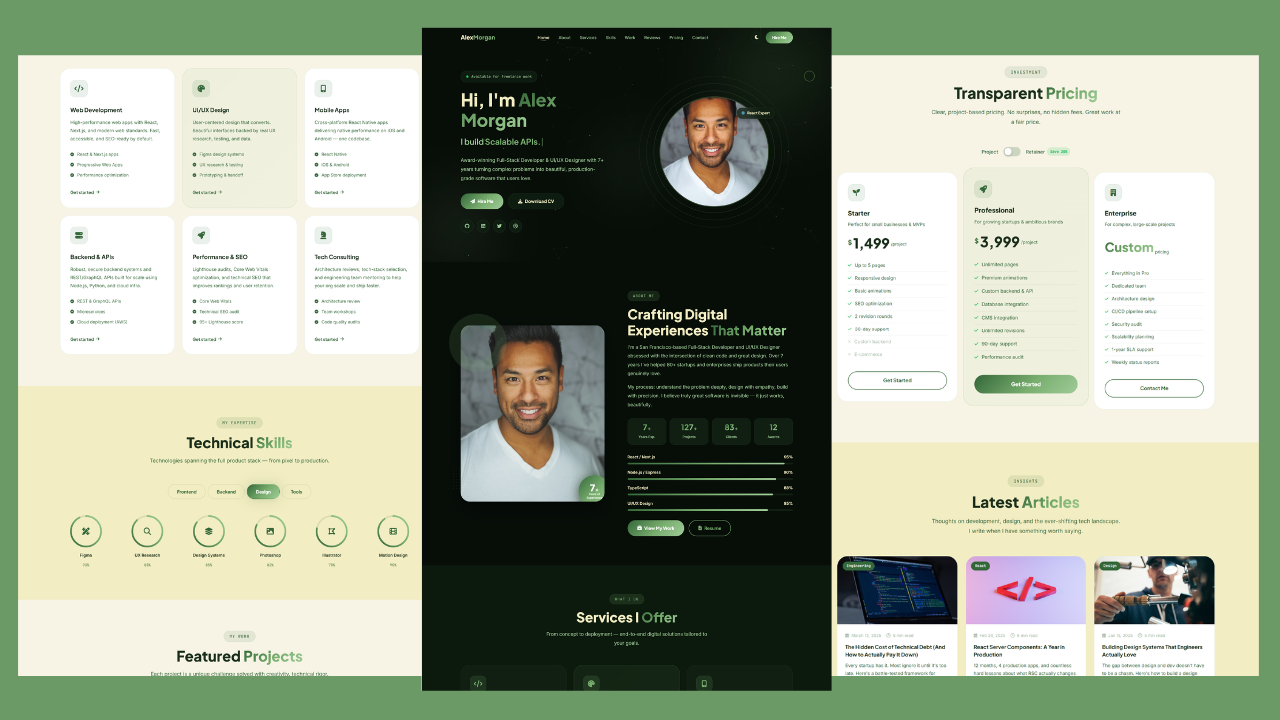
Build a Responsive Animated Portfolio Website with Dark & Light Mode | Free Source Code
Build a Responsive Animated Portfolio Website with Dark & Light Mode Free Download Code Files Preview The Demo Your portfolio
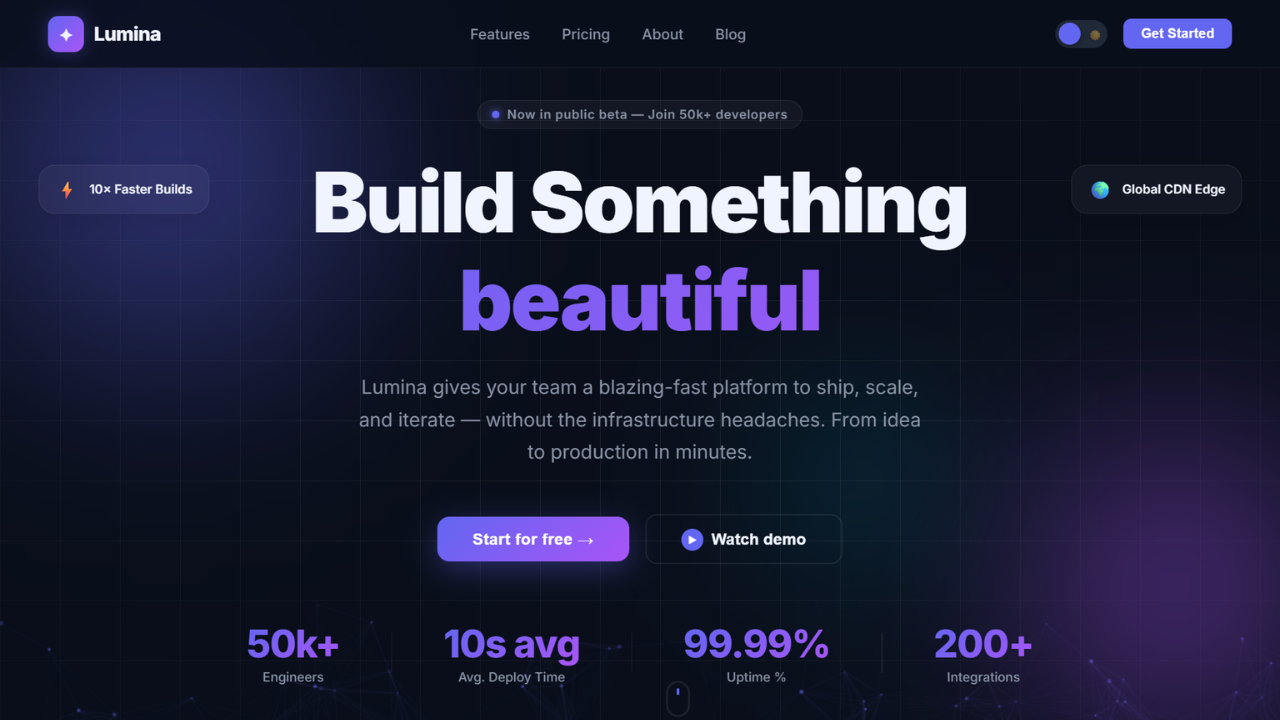
Responsive Animated Hero Section with Dark Light Theme | Free Source Code
Responsive Animated Hero Section with Dark Light Theme Let’s be real for a second. The first thing visitors notice on
How to Design Agency Website Using HTML, CSS, and JavaScript
Learn how to build a stunning, responsive design agency website using HTML, CSS, and JavaScript. This beginner-friendly guide covers planning,